
Car Parking Simulator 3 - Tight Spots & Realistic Parking
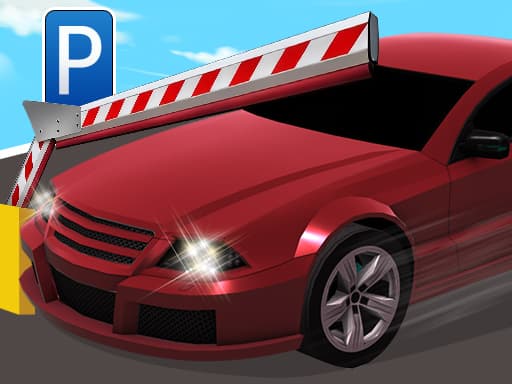
Car Parking Simulator 3 - Tight Spots & Realistic Parking
Park compact cars and heavy-duty trucks in tight spots. WASD controls, multiple modes, and levels that get harder as you progress.
What is Car Parking Simulator 3?
Car Parking Simulator 3 drops you into parking lots and streets where the only goal is fitting your vehicle into a marked spot without smashing into things. You pick from compact cars or heavy-duty trucks, and each vehicle handles differently enough that switching between them actually changes how you approach a level. The game offers different modes, so you can either tackle structured levels or just practice parking without pressure. Honestly, the compact car levels feel way better than the truck ones — trucks turn wide and the camera doesn't always cooperate with larger vehicles. The realistic tag is earned mostly through how unforgiving the collision detection gets after the first few stages. Anyone who likes patience-heavy driving challenges will find something here, but it's not a casual pick-up-and-play experience.
Honestly I spent about 20 minutes on this one before I figured out the controls — but once it clicks, it clicks. If you end up liking Car Parking Simulator 3, there's more where that came from. Check out Escape Road 3 Review: Outrun the Cops or Die Trying for a similar vibe on BB Online Game. Both load right in your browser, zero download.
If you enjoy sandbox experimentation after all that precision driving, Element Playground lets you mess around with physics without the pressure.
How to Play Car Parking Simulator 3
Each level gives you a parking spot marked on the ground and a vehicle somewhere nearby. You drive from point A to point B using WASD, avoiding cones, walls, and other cars parked along the route. Early levels take maybe 30 seconds once you know the path, but later ones can eat up 5 minutes of careful reversing and adjusting. The difficulty ramps faster than expected — around level 8 or 9, the gaps you're squeezing through get genuinely tight, and there's no mid-level checkpoint if you mess up halfway through a long reverse maneuver. That lack of checkpoints is the most frustrating part, honestly. You'll nail a tricky three-point turn, clip a cone on the final straight, and restart the whole thing.
Parking trucks is one thing, but Cake Protector tests a different kind of spatial awareness with its defense layouts.
Game Controls Car Parking Simulator 3
Desktop players use WASD to move — W accelerates, S brakes or reverses, A and D steer. There's no handbrake button, which takes getting used to. Pro tip: tap W gently instead of holding it down, because speed control matters way more than steering in later levels.
Keyboard controls can feel a bit weird the first 2 or 3 rounds, but they get comfortable fast. For a different control setup, try Case Simulator: Cars — Open Cases, Build Your Garage, Hit the Road — it uses a similar scheme and runs just as smooth on BB Online Game.
Key Features Car Parking Simulator 3
Multiple vehicle types from compact cars to heavy-duty trucks with different handling
Difficulty that scales hard — first 5 levels are warm-ups, then it gets real
Several game modes so you're not stuck on one progression path
Collision detection punishes sloppy driving, especially in tight lots
Each level takes under 5 minutes but retries will stack up fast
No checkpoint saves mid-level, so one late mistake costs everything
Tips & Tricks Car Parking Simulator 3
Don't hold W — tap it. Speed is your biggest enemy in tight spaces.
Reverse parking is almost always easier than trying to nose in forward.
I wasted 20 minutes on level 12 before realizing you can approach the spot from either side.
Switch to compact cars if trucks are frustrating — the smaller hitbox makes a real difference.
Watch the obstacle layout for 10 seconds before moving. Most levels have one clean path.
Restart immediately if you hit something early. Finishing with damage feels worse than trying fresh.
When you need a break from tight parking maneuvers, Crystalia Idle Clicker offers something way less stressful to zone out with.
Why Play Car Parking Simulator 3?
The vehicle variety gives it an edge over simpler parking games — switching from a compact car to a truck genuinely forces you to rethink your approach rather than just doing the same thing faster. The downside is that camera angles during tight maneuvers can be genuinely annoying, especially in enclosed parking structures. If you want a parking game that respects your time less but rewards patience more, this one fits.
Frequently Asked Questions Car Parking Simulator 3
Common questions about Car Parking Simulator 3
1Can I play Car Parking Simulator 3 on my phone?
2How many levels are there?
3Is there a time limit on each parking attempt?
4What's the difference between the vehicle types?
5Do I need to unlock trucks or are they available from the start?
6Why do I keep failing levels I already beat?
Car Parking Simulator 3 - Tight Spots & Realistic Parking
Park compact cars and heavy-duty trucks in tight spots. WASD controls, multiple modes, and levels that get harder as you progress.