
Zombie Catchers: A Decent Way to Kill Your Lunch Break
Zombie Catchers: A Decent Way to Kill Your Lunch Break
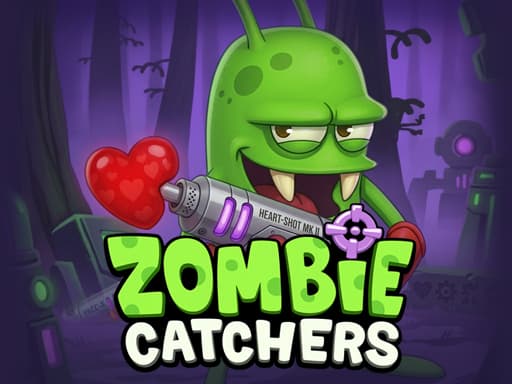
Chase down zombies with a harpoon, sell their remains for coins, and upgrade your gear. A goofy little time-sink if you're into casual shooters.
What is Zombie Catchers?
Zombie Catchers is an action-adventure shooter where your whole job is to run around catching zombies to process them into juice and sell it for coins. You basically explore different areas, snag the undead with your harpoon, and drag them back to your base. The economy loop is the main hook here—selling zombie juice funds better weapons and lets you travel to new zones to catch rarer mutants. Anyone who likes casual shooters with a grind won't mind this one. It's clearly meant for short sessions rather than marathon plays, so don't expect a deep plot or complex mechanics. If repetitive action bothers you, skip it, because catching your fiftieth zombie feels exactly like catching the first one.
Honestly I spent about 20 minutes on this one before I figured out the controls — but once it clicks, it clicks. If you end up liking Zombie Catchers, there's more where that came from. Check out Tunnel Escape — A Sneaky Good Free Browser Dungeon Crawler for a similar vibe on BB Online Game. Both load right in your browser, zero download.
If you enjoy catching weird enemies, Catch Brainrots From Bosses offers a similar vibe with boss mechanics.
How to Play Zombie Catchers
A typical session starts by warping to a zone and chasing down the local zombies. You've got to flush them out of hiding spots, then harpoon them before they scatter. Each run takes maybe three to five minutes once you get the hang of the controls, mostly because you're trying to hit specific mission quotas. Early on, I kept wasting time chasing the fast little zombies when the big slow ones were way easier to catch and paid out more coins. Once you drag enough back, you toss them in the blender back at your shop, wait for the juice, and collect the cash to repeat the cycle.
For something lighter and more family-friendly, check out Ninja Jump Kids.
Game Controls Zombie Catchers
You play using the keyboard and mouse on desktop. Movement is mapped to the keyboard, while aiming and shooting your harpoon is all mouse-driven. Honestly, took me a solid five minutes to realize I couldn't just click everywhere wildly and actually had to aim ahead of the zombies to hit them. It feels a little clunky at first, but muscle memory kicks in pretty fast.
Keyboard controls can feel a bit weird the first 2 or 3 rounds, but they get comfortable fast. For a different control setup, try Terra Craft World: Free Browser Adventure Game — it uses a similar scheme and runs just as smooth on BB Online Game.
Key Features Zombie Catchers
Action-packed adventure with simple keyboard and mouse controls.
Hunt down zombies, sell their juice, and collect coins to progress.
Complete specific missions to unlock new zones and gear upgrades.
Grind out roughly a dozen different zombie types across the maps.
Playable directly in your desktop browser for free.
Loop runs about 5 minutes per run, perfect for quick breaks.
Tips & Tricks Zombie Catchers
Don't ignore the big slow zombies—they give way more coins per catch.
Upgrade your weapon range before speed, makes catching runners easier.
Keep the factory running constantly so you actually have room for new catches.
Hold off on buying the expensive decoys until you hit the later zones.
Always check your mission board before a run so you don't waste time.
Don't bother chasing a zombie off-screen, they despawn and you lose time.
If you want to switch from zombies to some casual path-finding, Paty Path is a decent distraction.
Why Play Zombie Catchers?
Play this if you want a mindless shooter that doesn't demand much brainpower. It's less stressful than Call of Zombies and way easier to drop in and out of. The controls aren't perfect, but the weirdly satisfying factory-farming-zombies loop makes up for the jank.
Frequently Asked Questions Zombie Catchers
Common questions about Zombie Catchers
1Can I play Zombie Catchers on my phone?
2How long does it take to unlock everything?
3Do I need to pay real money to win?
4Why do my zombies keep disappearing?
5What happens if I miss a mission?
Zombie Catchers: A Decent Way to Kill Your Lunch Break
Chase down zombies with a harpoon, sell their remains for coins, and upgrade your gear. A goofy little time-sink if you're into casual shooters.