
Play FireBoom Free: A Chaos of Bombs and Firecrackers
Play FireBoom Free: A Chaos of Bombs and Firecrackers
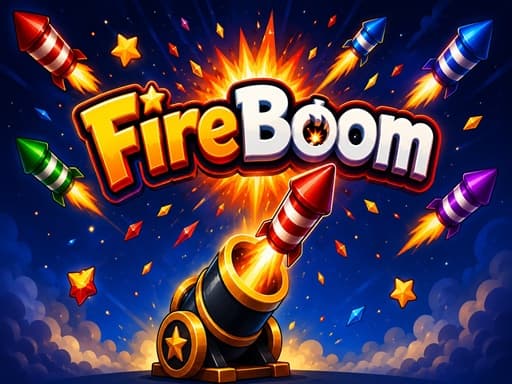
Play FireBoom free on desktop. Shoot firecrackers from a bottom cannon to hit targets falling from the top-center. Aim fast and score points to clear levels.
What is FireBoom?
FireBoom is a straightforward point-and-shoot hypercasual game. You control a cannon fixed at the bottom of the screen. Your only job is to fire firecrackers straight up so they smash into other firecrackers dropping from the top-center. When they collide, you get points. Honestly, the setup is pretty barebones. There's no real story, just a bright background and explosive effects. Desktop players using a mouse will have a much easier time aiming than someone trying to tap on a trackpad. The game is built for quick sessions when you want to shut your brain off for 10 minutes. Just know that the base mechanic gets repetitive after 30 minutes.
Honestly I spent about 20 minutes on this one before I figured out the controls — but once it clicks, it clicks. If you end up liking FireBoom, there's more where that came from. Check out Money Stack Runner Game - Free Browser Cash Grab for a similar vibe on BB Online Game. Both load right in your browser, zero download.
If you want a slower pace after all the explosions, Car Parking Simulator 3 is a good change of pace.
How to Play FireBoom
First, watch the top-center of the screen. Firecrackers spawn up there and start moving down at different speeds. Move your cannon to line up your crosshair directly under a falling target. Click to shoot. Each level has a specific score requirement you need to hit before time runs out or you run out of ammo. The first 5 levels take around 2 minutes each to beat. After that, the falling targets move faster and show up at weird angles. It gets frustrating around level 8 when you need 3 direct hits in under 5 seconds to keep your combo going. If your timing is off, you'll drop the combo and lose your score multiplier.
For a change of speed, check out 3D Formula Racing: Pro Edition to test your driving reflexes.
Game Controls FireBoom
All actions happen with your mouse. Move the cursor left and right to rotate the bottom cannon, then click to launch a firecracker upward. Pro tip: don't spam clicks. Firing too fast without tracking the top-center drops means you'll just waste shots.
Keyboard controls can feel a bit weird the first 2 or 3 rounds, but they get comfortable fast. For a different control setup, try ASMR Cat Doctor Clinic: Free Browser Game Review — it uses a similar scheme and runs just as smooth on BB Online Game.
Key Features FireBoom
Aim and shoot from a bottom cannon to destroy falling firecrackers.
Score enough direct hits to clear levels.
Track falling bombs from the top-center of the screen.
Complete the first 10 levels in under 30 minutes of total playtime.
Deal with faster falling speeds after you beat level 5.
100% free to play directly in your desktop browser.
Tips & Tricks FireBoom
Wait for firecrackers to line up vertically before you take a shot.
I wasted 20 minutes shooting randomly before realizing timing beats speed.
Aim slightly ahead of where the firecrackers are actually falling.
Take a break after level 7 because the spawn rates get annoying.
Ignore the sides of the screen completely since targets only fall from the top-center.
Fans of sandbox experiments might also enjoy messing around in Element Playground.
Why Play FireBoom?
It's a good time-killer if you want something simpler than typical action games. The collision physics are solid, and hitting two targets with one shot feels great. But the game lacks any real depth or upgrade system. If you need unlocks or skill trees to stay interested, this won't hold your attention past the first hour.
Frequently Asked Questions FireBoom
Common questions about FireBoom
1What is the main goal in FireBoom?
2Can I play this on a phone?
3How do the controls work?
4Does the game save my progress?
5Is there an ending to the game?
6Why am I not earning points when I shoot?
Play FireBoom Free: A Chaos of Bombs and Firecrackers
Play FireBoom free on desktop. Shoot firecrackers from a bottom cannon to hit targets falling from the top-center. Aim fast and score points to clear levels.