
Gunship Strike Helicopter Game: Free Browser Action

Gunship Strike Helicopter Game: Free Browser Action
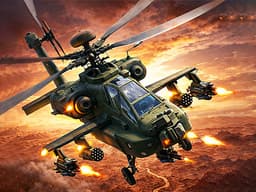
Pilot a chopper using WASD keys in this free desktop game. The dodging is pretty solid and it honestly feels like a real throwback arcade shooter.
What is Gunship Strike Helicopter Game?
Gunship Strike Helicopter Game puts you in the cockpit of a modern combat helicopter to blow up ground targets. The original description mentions high-risk battlefield missions and air-to-ground attacks, and that's pretty much exactly what you do. No complicated tutorial, just straight-up military shooting. If you like testing your reflexes with constant dodging and shooting, it scratches that itch. Anyone looking for deep storytelling or complex flight physics should probably skip it though. The action is solid but the loop gets repetitive after a while.
Honestly I spent about 20 minutes on this one before I figured out the controls — but once it clicks, it clicks. If you end up liking Gunship Strike Helicopter Game, there's more where that came from. Check out Sniper Pixel Shooting: A Browser Shooter That Doesn't Suck for a similar vibe on BB Online Game. Both load right in your browser, zero download.
When you need a break from helicopters, Haunted Sweets offers a completely different puzzle vibe.
How to Play Gunship Strike Helicopter Game
Expect to spend your first two minutes just crashing into things while learning how the chopper handles. A typical level lasts maybe three to five minutes, mostly dodging enemy fire while lining up your own shots on tanks and base structures. Progression throws increasingly heavy firepower at you, forcing you to prioritize targets quickly. Dying resets the current mission, which is a huge pain around level six when enemy placement gets surprisingly aggressive. Clearing a wave feels good, but the difficulty spikes out of nowhere around stage five.
If you want strategy over reflexes, Dark Sector Kids is a decent tower-defense alternative.
Game Controls Gunship Strike Helicopter Game
Movement relies entirely on the keyboard. W moves your heli forward, S pulls it back, and A and D handle left and right steering. Clicking the mouse handles menu navigation and weapon firing. Took me a solid five minutes to realize you don't use the mouse to aim the main gun, so don't make that mistake.
Keyboard controls can feel a bit weird the first 2 or 3 rounds, but they get comfortable fast. For a different control setup, try Mineblock Zombie Survival: Free Browser Shooting Game — it uses a similar scheme and runs just as smooth on BB Online Game.
Key Features Gunship Strike Helicopter Game
Keyboard-only flight keeps desktop controls simple.
Levels usually run about 3 to 5 minutes each.
Pure air-to-ground combat without any fluff.
Enemy fire gets noticeably thicker around level 4.
No flight physics simulator here, just straight action.
2026 release with a clean interface and low lag.
Tips & Tricks Gunship Strike Helicopter Game
Spend the first level just learning the movement arc before trying to destroy everything.
Don't ignore the tanks that spawn on the left side of the map, they will instantly end your run.
Alt-tabbing pauses the action, which helps if you need a break during longer sessions.
Tap the movement keys instead of holding them down to make tighter turns.
Keep your helicopter near the top center of the screen for better dodging space.
Unbind any browser zoom shortcuts so you don't accidentally zoom in during combat.
For something way more relaxing after all that shooting, check out Cat Snack Bar.
Why Play Gunship Strike Helicopter Game?
There are plenty of airplane games on the site, but this one focuses entirely on helicopter combat, which makes it feel a bit different. The WASD controls are clunky at first compared to top-down shooters like Viking Wars, but they work fine once you adjust. It does military chaos well without demanding intense hardware or lengthy tutorials.
Frequently Asked Questions Gunship Strike Helicopter Game
Common questions about Gunship Strike Helicopter Game
1Does this game work on mobile devices?
2How do you fire the weapons?
3Are there different helicopters to unlock?
4Why does my screen sometimes zoom in while playing?
5Is there a save feature?
6Can I use arrow keys instead of WASD?
Gunship Strike Helicopter Game: Free Browser Action
Pilot a chopper using WASD keys in this free desktop game. The dodging is pretty solid and it honestly feels like a real throwback arcade shooter.