
Soldier Shooting: Free Browser Army Shooter on BB Online Game
Soldier Shooting: Free Browser Army Shooter on BB Online Game
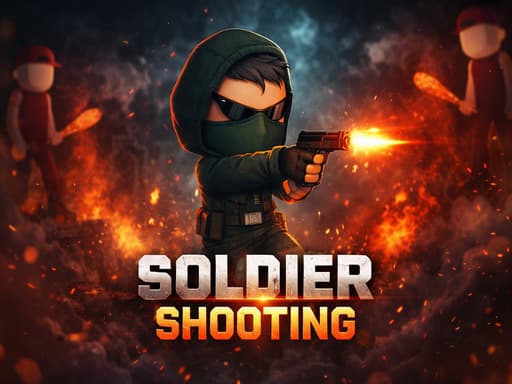
Control special forces in this free mouse-only army shooter. Dodge enemy fire, use terrain for cover, and eliminate thugs across intense combat levels.
What is Soldier shooting?
Soldier Shooting drops you into a top-down arena where you direct special forces soldiers through hostile territory to wipe out waves of thugs. The core gameplay relies on moving your character while pointing and clicking to fire at enemies, but it's the terrain that actually makes it interesting. You'll duck behind barriers and use obstacles to block incoming fire. After 30 minutes, the repetitive click-to-win formula gets a bit stale, but the first 10 levels are solid fun. Anyone who wants a basic army game without complex keyboard controls will feel right at home here.
Honestly I spent about 20 minutes on this one before I figured out the controls — but once it clicks, it clicks. If you end up liking Soldier shooting, there's more where that came from. Check out Sniper Pixel Shooting: A Browser Shooter That Doesn't Suck for a similar vibe on BB Online Game. Both load right in your browser, zero download.
If you want a break from the army theme, Space Aim Kids offers a simpler aiming experience.
How to Play Soldier shooting
Each level takes about 2 to 5 minutes to clear. Enemies spawn in predictable corners and rush toward you, so the gameplay loop is simply finding a safe spot, shooting the advancing thugs, and moving to the next safe zone before getting overwhelmed. The aiming is forgiving since you just need to click near an enemy to land hits. Honestly, level 8 introduces a frustrating spike where enemies suddenly shoot much faster, and you'll likely die 3 or 4 times before figuring out the right hiding spots. Once you memorize the spawn points, it becomes a simple clicking exercise.
For pure clicking mechanics without the shooting, Jumen is a solid alternative.
Game Controls Soldier shooting
You only need your mouse for this one. Move the cursor to direct your soldier, left-click to shoot. Pro tip: right-clicking doesn't do anything, so don't waste time looking for alternate fire modes. Just keep your clicks fast and your cursor steady to clear out enemies.
Keyboard controls can feel a bit weird the first 2 or 3 rounds, but they get comfortable fast. For a different control setup, try Mineblock Zombie Survival: Free Browser Shooting Game — it uses a similar scheme and runs just as smooth on BB Online Game.
Key Features Soldier shooting
Move with your mouse and left-click to shoot thugs.
Hide behind terrain to block incoming enemy attacks.
Fight through at least 10 levels of increasing difficulty.
Face off against 4 distinct enemy types as you progress.
Enemies start shooting faster around level 8, so don't get lazy.
Zero keyboard inputs required, making it a pure clicker experience.
Tips & Tricks Soldier shooting
Always drag your soldier behind a wall before engaging a group.
Don't bother clicking rapidly; well-timed single shots deal the same damage.
Enemies pause for 1 second right before they shoot, so use that window to strike.
I wasted 20 minutes on level 8 before realizing you can bait enemies into narrow chokepoints.
Upgrade your health stats before damage if you keep dying in later levels.
Players looking for a blocky twist on combat should try Minecraft Pixel Gun Shooter next.
Why Play Soldier shooting?
Most browser shooters force you to learn WASP movement and complicated reload mechanics. Soldier Shooting keeps it simple with mouse-only controls, which is great if you're playing on a laptop trackpad. It won't challenge hardcore FPS fans, but the terrain-based strategy adds a tiny layer of thought to the mindless clicking formula.
Frequently Asked Questions Soldier shooting
Common questions about Soldier shooting
1Can I play Soldier Shooting on my phone?
2Do I need to install anything to play?
3What happens if my soldier dies?
4Are there different weapons in the game?
5Is there a way to save my progress?
6Why is level 8 so much harder than the others?
Soldier Shooting: Free Browser Army Shooter on BB Online Game
Control special forces in this free mouse-only army shooter. Dodge enemy fire, use terrain for cover, and eliminate thugs across intense combat levels.