
Dragon Draw Joust: I Drew a Noodle and Somehow Won
Dragon Draw Joust: I Drew a Noodle and Somehow Won
Draw your own weapons and shields in Dragon Draw Joust, a free browser game where your sloppy sketches actually become gear. Click and drag your way to victory.
What is Dragon Draw Joust?
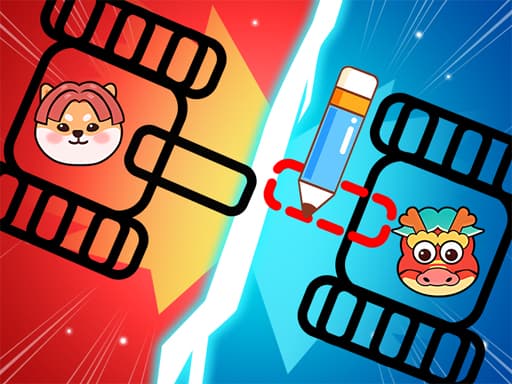
Dragon Draw Joust is a browser action game where you draw your own weapons and shields before jumping into combat. You sketch shapes on a canvas and those drawings become your actual gear—swords, shields, whatever you can manage with a mouse. Then your little warrior heads into the arena to fight opponents using your creations. It's tagged as action, animal, cute, and drawing, and honestly all four of those tags are pretty accurate. The art style is simple and the whole thing has a scrappy feel to it. Anyone who enjoyed scribbling dumb weapons in the margins of their school notebooks will probably get a kick out of this. If you want tight, balanced combat you might find the physics a bit janky. The creativity angle is the real selling point—each round plays out differently because your drawings change every time. It's not going to replace a proper fighting game but it's a fun way to kill twenty minutes during a lunch break.
Honestly I spent about 20 minutes on this one before I figured out the controls — but once it clicks, it clicks. If you end up liking Dragon Draw Joust, there's more where that came from. Check out Samurai Dash: Free Browser Reflex Game for a similar vibe on BB Online Game. Both load right in your browser, zero download.
If you want a change of pace from drawing combat, Mad Pursuit offers some chaotic driving action.
How to Play Dragon Draw Joust
A typical session starts with you staring at a blank canvas. You have a short window to draw something—anything—that could work as a weapon or shield. My first attempt was a wobbly rectangle that I called a sword. It worked, barely. Matches last maybe thirty seconds to a minute depending on how evenly matched the fighters are, so you're constantly cycling between drawing and brawling. The frustrating part is when you spend time drawing what you think is a solid shield, only to realize it's too small and your opponent's giant spaghetti-sword just goes right around it. Around the fifth or sixth match I started drawing ridiculously oversized weapons to compensate and that actually worked better. There's a learning curve to figuring out what shapes translate well into the physics engine versus what just flops around uselessly when you make contact with the enemy.
For more arena-style fights with a completely different vibe, Crazy Sea Battle is worth checking out.
Game Controls Dragon Draw Joust
The whole game runs on click and drag. Click to draw your weapon or shield shape, then drag your warrior around the arena to fight. Honestly, it took me a solid ten minutes to realize my drawings were actually attaching to my character and not just floating uselessly on the canvas. The controls feel a little loose when you're trying to draw something precise while an enemy is charging at you, but that's kind of the charm.
Keyboard controls can feel a bit weird the first 2 or 3 rounds, but they get comfortable fast. For a different control setup, try Goo Odyssey: A Slime Platformer That's Got Some Tricks Up Its Sleeve — it uses a similar scheme and runs just as smooth on BB Online Game.
Key Features Dragon Draw Joust
Draw your own weapons and shields that actually function in combat
Matches run about 30-60 seconds each so rounds stay snappy
Cute warrior characters with a messy sketchbook art style
Physics-based combat means your drawings interact with enemies in unpredictable ways
Each fight feels different because you're probably drawing something new every time
Free to play in your browser with no downloads needed
Tips & Tricks Dragon Draw Joust
Draw bigger than you think you need to—tiny weapons barely register hits
Long thin shapes work better as swords than thick stubby ones
Don't bother drawing anything complicated, simple triangles and rectangles get the job done
Shields on the left side of your character block more attacks since enemies tend to swing from that direction
I learned the hard way that drawing a circle for a shield means nothing if it's too low—put it at torso level
If your warrior keeps dying, try drawing a longer weapon to keep enemies at a distance
When sketching weapons loses its appeal, Mineblock Zombie Survival delivers straightforward zombie blasting.
Why Play Dragon Draw Joust?
There aren't many games that let you draw your gear and immediately test it in combat. Compared to something like Draw a Stickman, Dragon Draw Joust is more focused on the fighting and less on story puzzles. The tradeoff is that the combat itself isn't super deep—you're mostly just flailing your drawings at each other. But the novelty of sketching a terrible axe and watching it actually work carries the game further than you'd expect.
Frequently Asked Questions Dragon Draw Joust
Common questions about Dragon Draw Joust
1Do I need to be good at drawing to play this?
2How long does each match take?
3Can I save my drawings to use again later?
4What happens if I draw something completely ridiculous?
5Is there multiplayer or is it all single player?
6Does it work on mobile?
Dragon Draw Joust: I Drew a Noodle and Somehow Won
Draw your own weapons and shields in Dragon Draw Joust, a free browser game where your sloppy sketches actually become gear. Click and drag your way to victory.