
Melon Sandbox Online: Free Browser Physics Playground
Melon Sandbox Online: Free Browser Physics Playground
Build and destroy pixel ragdolls in this free browser sandbox. Click and drag to experiment with realistic physics across dynamic playgrounds.
What is Melon Sandbox Online?
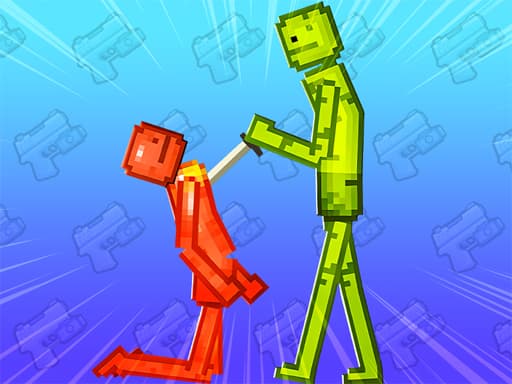
Melon Sandbox Online is a 2D physics simulator where you build and destroy pixel-art scenes using ragdoll characters and environmental objects. The whole game runs on a single screen — drop stuff, smash it together, and watch the physics engine do its thing. Every interaction feels distinct because the ragdoll system doesn't repeat the same canned animations. The pixel visuals keep the tone light, almost cartoonish, even when you're testing extreme collisions. It's a pure sandbox with zero objectives or scoring. Honestly, the destruction physics work surprisingly well for a browser game, though the limited object library starts to feel restrictive after about 30 minutes of play. If you want structured goals, this isn't it. But for messing around with cause-and-effect physics in short bursts, it delivers exactly what it promises.
Honestly I spent about 20 minutes on this one before I figured out the controls — but once it clicks, it clicks. If you end up liking Melon Sandbox Online, there's more where that came from. Check out Dragon Draw Joust: I Drew a Noodle and Somehow Won for a similar vibe on BB Online Game. Both load right in your browser, zero download.
For a change of pace from open-ended sandbox play, Gameloft Sports Minigame Collection offers structured competitive mini-games.
How to Play Melon Sandbox Online
Start by selecting items from the bottom toolbar — ragdolls, crates, explosives, and basic environmental props. Click an object to spawn it, then drag it wherever you want in the scene. You can stack items, place ragdolls in precarious positions, or set up chain-reaction experiments using explosives and moving parts. There's no wrong way to do this. Each setup takes about 2-5 minutes to build, and then you get to watch it all unfold. A typical session loop is: build, test, destroy, repeat. The frustration kicks in around minute 45 when you realize there's no save function — all your elaborate constructions disappear when you close the tab. I once spent 15 minutes building a domino-style tower collapse only to accidentally hit refresh. Learn from that mistake. Drop simple setups first to understand how momentum and collision work in this physics system, then scale up to more complex experiments.
If building and destroying wears thin, Spot the Difference Forever provides a quieter observation-based challenge.
Game Controls Melon Sandbox Online
Click and drag to move objects around the playground. Use your mouse to grab ragdolls, props, and environmental elements. Scroll the wheel to zoom in and out of the scene. Right-click to rotate the camera for a better angle on your chaos. Pro tip: hold the mouse button for a half-second before dragging to pick up items precisely instead of nudging them by accident.
Keyboard controls can feel a bit weird the first 2 or 3 rounds, but they get comfortable fast. For a different control setup, try Win Magic & Devil: A Wizard Shooter That Actually Holds Up — it uses a similar scheme and runs just as smooth on BB Online Game.
Key Features Melon Sandbox Online
Pixel-art visuals that run smoothly on desktop browsers with no downloads needed.
Ragdoll physics engine that calculates unique collision responses every single time.
Click-and-drag controls that work instantly — no tutorial or learning curve.
4 main object categories: ragdolls, props, explosives, and environmental elements.
Zero loading screens once the initial page finishes loading in your browser.
Free to play with no account required — just open the tab and start building.
Tips & Tricks Melon Sandbox Online
Spawn ragdolls first before placing explosives — the order matters for initial positioning.
I wasted 20 minutes building elaborate setups before realizing you can't save them when you close the browser.
Test single explosions before stacking 3 or more — the physics can glitch with too many simultaneous collisions.
Use the zoom-out view to plan larger scenes; zooming in is only useful for detail placement.
Space your objects at least 2 character-widths apart if you want controlled domino effects instead of instant chaos.
Explosives have a fixed blast radius — test one alone first to measure it before building around that constraint.
When solo sandbox experimentation feels too isolated, Redcoats.io adds real multiplayer competition to your browser session.
Why Play Melon Sandbox Online?
Most browser sandbox games lock features behind progress walls or ads every 90 seconds. Melon Sandbox Online gives you the full toolkit immediately — every object type is available from the first second. The tradeoff is that the object variety is thin compared to paid sandbox games like People Playground. You won't find vehicles or complex machinery here. What you get is a fast, no-commitment physics toy that loads in under 10 seconds and asks nothing from you. For a lunch-break distraction, that's exactly the right balance.
Melon Sandbox Online: Free Browser Physics Playground
Build and destroy pixel ragdolls in this free browser sandbox. Click and drag to experiment with realistic physics across dynamic playgrounds.